Subscribe:

Tuesday, December 20, 2011

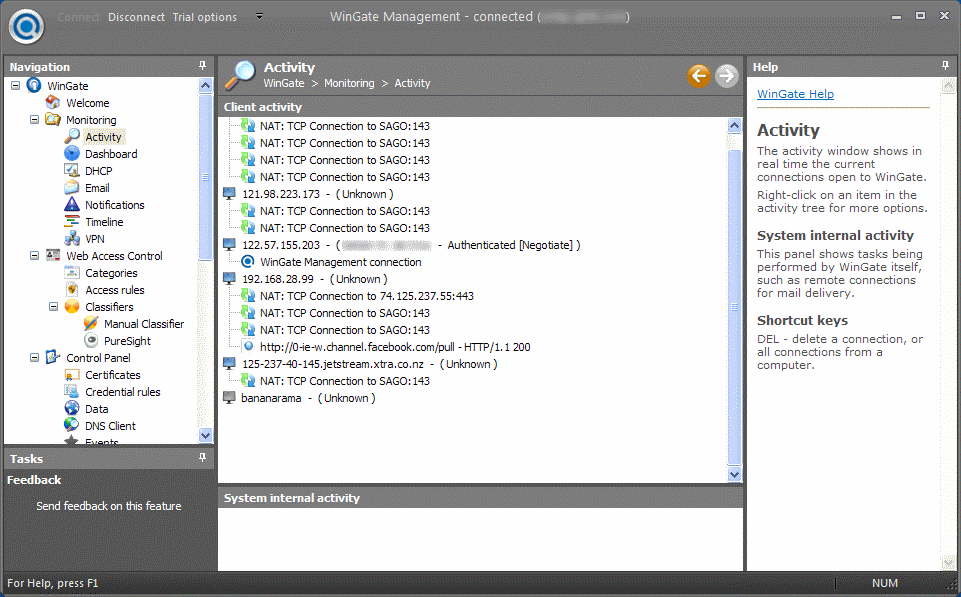
WinGate 7.0.4 Build 3352


WinGate Proxy Server is a sophisticated integrated Internet gateway and communications server designed to meet the control, security and communications needs of today’s businesses. In addition to a comprehensive range of features, WinGate Proxy Server’s license options provide you the flexibility to match your needs to your budget, whether you need to manage an enterprise, small business, or home network. WinGate will share most types of Internet connections effortlessly, allowing multiple users to simultaneously surf the web, retrieve their email, or chat with online messaging, as if they were directly connected to the Internet. Whether it is a simple dialup modem or hi tech broadband solution, WinGate can help to make the most out of the connection. WinGate will handle requests from a wide variety of Web applications and Internet protocols, such as Web browsers, Messaging software, FTP and SSL. WinGate also supports DirectPlay Internet games and Real Time Streaming Audio/Video.
With WinGate’s user database and policies, parents and administrators alike can limit and control users access to the web. Logging, auditing, and a real time activity and history viewer – detailed records of user activities can be easily examined. This makes WinGate an ideal choice for Internet cafes and network administrators who work in environments where Internet access needs to be monitored closely.
WinGate comes complete with a built in firewall to ensure that each Internet connection is kept safe from attacks by hackers and intruders from the Internet. Your network safety can be further enhanced with optional plug-in components, available seperately, which will scan incoming data for viruses, or filter out inappropriate content. This gives peace of mind to both parents and network administrators, so that you can be sure that your family or co-workers are using the Internet appropriately.
Key Functions. WinGate allows you to:
• Provide secure and managed Internet access for your entire network via a single or multiple shared internet connections
• Enforce advanced and flexible access-control and acceptable use policies
• Monitor usage in real time, and maintain per-user and per-service audit logs.
• Stop viruses, spam and inappropriate content from entering your network
• Provide comprehensive internet and intranet email services.
• Protect your servers from internal or external threats.
• Improve network performance and responsiveness with web and DNS caching
• Ease administration burdens on your internal networks.
Key Benefits. Using WinGate to actively manage the use of your Internet and network resources can provide many benefits, including:
• Improved Employee productivity
• Minimised time and resources required to maintain network integrity
• Reduced Employer liabilities
• Improved efficiency, responsiveness and reliability of network access
Changes in Version 7.0.4 (Build 3352), Released 20 December 2011:
1. Fix: Stability problem in timeline.
2. Fix: Problem in UNC path handling in cache and email volumes.
3. Fix: Problem using SQL Native client for timeline and cache when regionalisation turned on.
4. Fix: Problem using MS SQL Driver for timeline.
5. Change: Better support for HTTP Cache function when database unavailable.
Homepage – http://www.wingate.com
Size: 25.6 MB
Read More.. Résuméabuiyad

VSO Downloader 2.0.2.3

VSO Downloader is a freeware multimedia downloader to grab streaming videos and audio from thousands of websites like Youtube, Metacafe, Vimeo, Dailymotion etc. The program sits in the background and can be set to automatically download media as you surf. VSO Downloader does not depend on any browser, it automatically detects when you are watching an online video and downloads it to your hard drive. It is a simple tool that is easy to use, it automatically detects the current video and downloads it to your hard drive. The application is entirely customizable, for example, you can automatically download all the detected videos, launch several downloads simultaneously, etc. Additionally, thousands of more media sources will be covered through support for HTTP and HTTPS protocols. Files can be renamed as they are being downloaded from remote servers, and the engine ensures the highest possible speed is achieved. If a download stops, it can be resumed later. It supports VPNs and proxy servers too. VSO Downloader has got a simple interface. Simple run the program and it will automatically keep track of any videos that you watch online. There is no need to manually add any URLs, it will automatically download the videos that you are watching to your hard disk. The program comes with an Ad Blocker and ensures that ads are not downloaded. Supports download resume and it is also compatible with HTTP, HTTPS protocols. You can configure the program to limit the number of files it downloads at a time or the number of threads to open per download. You can also filter the downloads by a minimum file size. The program will download the videos in its original format as it does not come with any converter.
Key Features:
Totally Free
• 100% Clean and free. No adware and spyware, or toolbars
Compatible with thousands of sites
• VSO Downloader is compatible with thousands of video and audio streaming sites
Streaming detection
• detects and downloads media (audio + video) files with any browser
• no need to copy and paste urls – media is detected automatically
• rename files as you are downloading
Ad Blocker
• detects ads and does not download them
User friendly file names
• smart automated file renamer is integrated
• manual file renaming during download is also possible (F2)
Extra Light
• Uses the least amount of system resources possible at all times
• Uses less than 5MB of memory
• Only uses 2% of CPU when downloading. It does not affect you as you are using your computer at the same time.
High Speed-Download
• Download accelerator engine
• Robust Multithread algorithm to download the files in mulitple parts creating 1 complete quality file
Multi-protocol support
• Support HTTP, HTTPS protocols
VPN & Proxy
• It supports all main VPNs and proxy servers. Compatible with SOCKS5 protocols and HTTP
Resume downloads
• A resume function starts the download from where it left off. When the downloading process is interrupted, you do not need to start from the beginning again.
Compatible with any web browser
• VSO Downloader works independantly from web browsers, so therefore it works with all of them, Internet Explorer, Firefox, Chrome, Opera, and more.
Streaming video/audio sites supported
Changes in VSO Downloader – 2.0.2.2, Released December 16th 2011:
New feature: Audio converter integrated
- Netherlands updated
- Brazil updated
- Slovenia updated
- Czech updated
- Various minor bugs fixed
Homepage – http://www.vso-software.fr
Size: 10.8 MB

Read More.. Résuméabuiyad

Internet Download Manager 6.08 Beta 2


Internet Download Manager (IDM) has a smart download logic accelerator that features intelligent dynamic file segmentation and safe multipart downloading technology to accelerate your downloads. IDM increases download speeds by up to 5 times, resumes and schedules downloads. Comprehensive error recovery and resume capability will restart broken or interrupted downloads due to lost connections, network problems, computer shutdowns, or unexpected power outages. Simple graphic user interface makes IDM user friendly and easy to use. IDM has a smart download logic accelerator that features intelligent dynamic file segmentation and safe multipart downloading technology to accelerate your downloads. Unlike other download managers and accelerators, IDM segments downloaded files dynamically during download process and reuses available connections without additional connect and login stages to achieve best acceleration performance.
Main Features:
• Internet Download Manager supports all popular browsers including IE, AOL, MSN, Opera, Firefox, Avant Browser, and it can be integrated into any Internet application to take over downloads using unique “Advanced Browser Integration” feature.
• Dynamic Segmentation and Performance.
• Easy downloading with one click. When you click on a download link in a browser, IDM will take over the download and accelerate it. IDM supports HTTP, FTP, HTTPS and MMS protocols.
• Download Speed Acceleration. IDM can accelerate downloads by up to 5 times due to its intelligent dynamic file segmentation technology.
• Download Resume. IDM will resume unfinished download from the place where they left off.
• YouTube grabber. IDM can grab FLV videos from popular sites like YouTube, MySpaceTV, and Google Video.
• Drag and Drop. You may simply drag and drop links to IDM, and drag and drop downloaded files out of Internet Download Manager.
• Automatic Antivirus checking. Antivirus checking makes your downloads free from viruses and trojans.
• Advanced Browser Integration. When enabled, the feature can be used to catch any download from any application.
• Built-in Scheduler. IDM can connect to the Internet at a set time, download the files you want, disconnect, or shut down your computer when it’s done.
• IDM includes web site spider and grabber. IDM downloads all required files that are specified with filters from web sites, for example all pictures from a web site, or subsets of web sites, or complete web sites for offline browsing. It’s possible to schedule multiple grabber projects to run them once at a specified time, stop them at a specified time, or run periodically to synchronize changes.
• IDM supports many types of proxy servers. For example, IDM works with Microsoft ISA, and FTP proxy servers.
• IDM supports main authentication protocols: Basic, Negotiate, NTLM, and Keberos. Thus IDM can access many Internet and proxy servers using login name and password.
• Download All feature. IDM can add all downloads linked to the current page. It’s easy to download multiple files with this feature.
• Download Categories. IDM can be used to organize downloads automatically using defined download categories.
• Download limits. Progressive downloading with quotas feature. The feature is useful for connections that use some kind of fair access policy (or FAP) like Direcway, Direct PC, Hughes, etc.
• IDM is multilingual.
What’s new in version 6.08 Beta Build 2 (Released: Dec 19, 2011):
* Added socks support
* Fixed bugs
Homepage – http://www.internetdownloadmanager.com
Size: 4.38 MB
Read More.. Résuméabuiyad

Mozilla Firefox 3.6.25


The award-winning Firefox® Web browser has security, speed and new features that will change the way you use the Web. Don’t settle for anything less. Mozilla Firefox project (formerly Firebird, which was formerly Phoenix) is a redesign of Mozilla’s browser component, written using the XUL user interface language and designed to be cross-platform. It is small, fast and easy to use, and offers many advantages over other web browsers, such as the tabbed browsing and the ability to block pop-up windows. Firefox has the most ways to customize your online experience specifically for the way you use the web. There are more than 6,000 Add-ons (little extras that augment Firefox to meet your unique needs) just waiting out there to help you do more, have more fun and be more creative online. Firefox keeps your personal info and your online interests away from the bad guys. Simply put, your security is our top priority.
Firefox 3.6 (code-named Namoroka) is based upon Gecko 1.9.2. Please collect information about changes that will impact developers here, and our happy, helpful documentation gnomes will make sure that articles are written to explain your hard coding work.
Namoroka will employ a highly iterative, milestone based development process which will rely on feedback from developers, testers and users to ensure that we are properly investing time and resources. An initial exploration phase will be used to investigate development cost and benefit, as well as to create user interaction prototypes. This will be followed by an alpha development phase for early user testing and feedback, and then a beta phase for broader compatibility testing.
Namoroka will focus on the following areas:
Performance
Observable improvements in user-perceptible performance metrics such as startup, time to open a new tab, and responsiveness when interacting with the user interface. Common user tasks should feel faster and more responsive.

Personalization & Customization

Simplify the development, discovery, installation and management of browser customization and functional extension. Where possible, provide a custom fit user experience based on a user’s interaction history. Act in the user’s interests, leveraging existing knowledge about their identity and browsing habits.
Task Based Navigation
Allow users to organize their tabs, history, downloaded files, and other resources according to the task they were attempting to accomplish. Provide support for executing common web-based tasks, mash-up style, without having to visit a website.
Web Application Support
Blur the distinction between web and desktop applications, providing web developers with the tools required to create rich application experiences for a user who is connected or disconnected from the Internet. Act as the intermediary between web applications and the user’s OS desktop.
System Integration
Integrate with the look and feel of the host operating system, including data-level interactions with existing system services such as dictionaries.
Firefox 3.6  is built on Mozilla’s Gecko 1.9.2 web rendering platform, which has been under development since early 2009 and contains many improvements for web developers, add-on developers, and users. This version is also faster and more responsive than previous versions and has been optimized to run on small device operating systems such as Maemo.
Notable Firefox 3.6 features include:
* Available in more than 70 languages – get your local version.
* Support for a new type of theme called Personas, which allow users to change Firefox’s appearance with a single click.
* Protection from out-of-date plugins to keep users safer as they browse.
* Open, native video can now be displayed full screen and supports poster frames.
* Improved javascript performance, overall browser responsiveness, and startup time.
* The ability for web developers to indicate that scripts should run asynchronously to speed up page load times.
* Continued support for downloadable web fonts using the new WOFF font format.
* Support for new CSS attributes such as gradients, background sizing, and pointer events.
* Support for new DOM and HTML5 specifications including the Drag & Drop API and the File API, which allow for more interactive web pages.
* Changes to how third-party software can integrate with Firefox in order to prevent crashes.
Release Notes
Homepage – http://www.mozilla.com/en-US/firefox/
Size: 7.52 MB
Read More.. Résuméabuiyad

KMPlayer 3.1.0.0 R2


KMPlayer (KMP+) is a korean movie and audio player that supports a wide range of codecs and file formats. It has full VCD/DVD playback functionality. KMPlayer is a versatile media player which utilizes all kinds of video information and subtitles to bring the best video experience through software/hardware options and recognition of various display devices. The player provides a strong hybrid structure efficient for interconnecting various directshow filters, winamp input&dsp plugin, and internal filters. The most outstanding feature is that the player has the full control of filter connections to prevent a media playback from being messed. KMPlayer handles a wide range of subtitles and allows you to capture audio, video, and screenshots in many ways. The player provides both internal and external filters with a fully controlled environment in terms of connections to other splitters, decoders, audio/video transform filters and renderers without grappling with the DirectShow merit system.Internal filters are not registered to user’s system to keep it from being messed up with system filters.
The KMPlayer includes almost all the essential decoders required for media playback. Furthermore, to get beyond the limitation of internal decoders, the external ones such as commercial h.264 decoders or cyberlink/intervideo audio decoders can be specified, so that KMP works optimally by the users’ own customization. Even though the KMP is based upon directshow structure, it supports Winamp, Realmedia and Quicktime by the internal logic. Thus, it is possible to specify where to try to connect firstly the media in preferences.
The player can set multifarious audio and video effects, slow down or increase playback speed with regular tone, select parts of a video as favorites, do an exceptionally powerful A-B repeat, remap the keys of remote interface for HTPC including overlay screen controls, change a skin dynamically depending on a media type playing, and many more. It is completely customizable thanks to a wide selection of skins and color schemes, and the configuration options are extremely extensive.
KMPlayer developed by a South Korean engineer and is well known for stable engine and various features and used by millions of users every day. In order to develop the KMPlayer to the next level to accommodate growing needs from all over the world, Pandora TV, the largest video streaming company in Korea has acquired the technology including the source code and core engine for the KMPlayer from the original developer, Kang Yong-Huee on August, 2007.
Features:
KMP has required codecs built-in.
• Enjoy medias without installing codecs separately.
• KMP supports both built-in and 3rd party codecs.
• KMP’s built-in codec is faster and reliable because it process internally.
• The current built-in codec supports all ffdshow codecs and also codecs that ffdshow doesn’t support such as MPEG1, 2.
• Features audio codecs (AC3, MPEG1, 2, AAC, WMA 7, 8 etc.).
• Matrix/normalizer options through built-in voice codec.
• Through KMP’s built-in codecs, you can enjoy all major media formats.
• KMP additionally supports 3rd party codecs for users that doesn’t use the built-in codec and also doesn’t install the codecs on the computer like other codecs do. Most public codec packs+players forces to install the codec on your computer, while KMP does not. This means that installing KMP will not affect your computer at all.
Correction of corrupted files
• AVI format originally have problems when trying to view corrupted files.
• KMP therefore supports various methods to play AVI files. First, KMP utilizes the ‘AVI Splitter’. Minor corrupted AVI files can be viewed through previous versions of AVI Splitter.
• If it still doesn’t play, KMP will utilize the ‘AVI Source Filter’ for playback. The built-in ‘AVI Source Filter’ analyses AVI files and plays by skipping bad frames.
• If it still doesn’t play through the above methods, it will utilize the RealMedia engine to play the corrupted AVI files.
Various File Format Support & Hardware Support
• KMP is based on DirectShow so it supports almost all Windows Media formats.
• KMP also supports Winamp, RealMedia, QuickTime, Flash(SWF) through KMP’s ground-up technology.
• KMP supports the most media formats compared to all worldwide media players.
• KMP supports DirectShow’s extension WDM(TVs/cameras) and DVDs..
Various Options
• Various ratios supported (4:3, 16:9. 2.35:1, 1.85:1 etc.)
• Playback speed options.
• Various subtitle options.
• Standard Video Setup: Soften/Sharpen/Blend Color/Reverse Input/Reverse
• Advanced Video Setup: Remove Afterimage/Remove 3D Noise/Remove Noise in Phases/Add Noise/Fast Forward Mode etc.
• Manage still images, video captures, filters etc.
• Flash format supported (FLV, SWF).
• Watch Live URL broadcasts (VOD, MMS).
Language: 25 languages supported (Albanian, Arabic, Belarusian, Bosanski, Brazilian, Chinese, Czech, Dutch, English, French, German, Hebrew, Hungarian, Italian, Japanese, Polish, Portuguese, Romanian, Russian, Spanish, Swedish, Thai, Turkish, Ukrainian, Vietnam)
Changes in KMP+ 3.1.0.0 R2:
- Fixed MKV Source Filter.
Homepage – http://www.kmplayer.com/forums/
Size: 21.5 MB
Read More.. Résuméabuiyad

Face Off Max 3.3.8.8


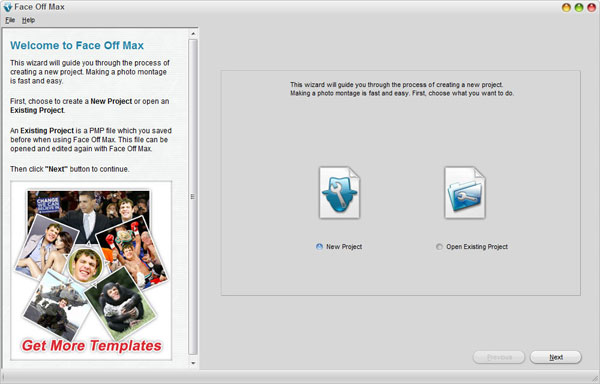
Face Off Max aims at helping you to create funny photos by transplanting any face to any body and share the fun with your friends.  Designed by professional artists, the program comes packed with large and larger numbers of templates. No matter for what use: creating a funny photo for yourself, ridiculing your friends or having a photo with your idol, you can easily find a template suitable. Besides, the indefatigable Face Off Max artists keep on creating updated templates to enable the users to produce photos about the hottest topic. And if you want to create the photo with your own photos, it also works. No matter in what way, you just need to offer your photos and then have fun. By using Face Off Max, you can easily display your masterpiece in everywhere you want to keep in touch with your friends: Facebook, Myspace, blog, email and etc. The intuitive interface lets you know at the first glance how to achieve what you want with Face Off Max.
The considerate Face Off Max service supporters also provide detailed using instruction which will accompany with you till the end of your creating. You just need to follow the wizard and then everything is done. However, although the process is simple, the results can be fantastic. After several stages of photo editing, your photo will look as natural as it should be.
After creating a great photo, sometimes you may still feel incomplete and want to write some funny words on it. Now with Face Off Max, your photo will be endowed with a slogan and speak the fun out by itself. You can even put your words in a balloon to enhance effects. How about having a photo with you becoming T-800, holding a shotgun, driving a Harley Davidson and saying “I’ll be back!”?
Homepage – http://www.faceoffmax.com
Size: 24.2 MB
Read More.. Résuméabuiyad

Griffith 0.1


Griffith is a media collection manager application. Adding items to the collection is as quick and easy as typing the film title and selecting a supported source. Griffith will then try to fetch all the related information from the Web.
Griffith is a cross-platform application and is known to run on GNU Linux, Microsoft Windows and MacOS X systems. Probably, it will run on other POSIX compatible operating systems where a gtk+ environment is available, including FreeBSD, OpenBSD and Solaris. Griffith is an open source project, released under the GNU/GPL licence.
Griffith is written in Python, making use of the PyGTK+ library, a GTK+ binding for python. There are other dependencies. Griffith is inspired by the respected north-american film director, David Wark Griffith, aka D. W. Griffith, famous from the silent film era.
This list will give you an overview of the most important features:
* Fetches film information from the Internet based on your locale via a plug-in
o Brazilian Portuguese: E-Pipoca
o Czech: CSFD
o English: IMDb, DVD Empire, AnimeDB, Moviefone, Mediadis
o French: Allocine, Cinemovies
o German: FilmeVonA-Z.de, Kino.de, OFDb
o Italian: Cinematografo
o Polish: Wirtualna Polska, FDb, Tanuki-Anime, Onet, Filmweb, Stopklatka
o Portuguese: 7arte, PTGate, Clube MyDVD
* Integrates well with a database (MySQL, PostgreSQL, SQLite3 used by default) to keep tabs on your library
* Can backup/restore your database
* Exports to CSV, PDF, XML and HTML files
* Imports from CSV files
* Generates PDF from cover art
* Keeps track of your films that are out on loan
* Enables you to sort/filter your library
* Has built-in multi-language support
* Has much more
Read More.. Résuméabuiyad

ASTRA32 2.12


ASTRA32 – Advanced System Information Tool is an ideal solution for providing comprehensive information about the configuration of your system. Not only does ASTRA32 provide a detailed analysis of your system it also offers diagnostics and comes with some powerful unique features such as a Drivers Troubleshooter and a quick HDD Health Status checker. You will appreciate the accuracy with which ASTRA32 acquires the information about the detected devices as it mostly refers directly to the hardware not to the Windows Registry. ASTRA32 uncovers even undocumented data. You can be sure that the obtained information about the computer hardware and device operational modes is precise irrespective of the installed drivers. ASTRA32 has a unique feature (Drivers Troubleshooter) that allows searching for all physical devices and creates a list of all devices whose drivers are not properly installed or completely missing.
ASTRA32 will also test your hard drive for reliability and work out the diagnosis using a unique algorithm. With the quick HDD Health Status checker function, you will always know if your hard drive is OK or if it is time to create a backup. Be aware of all contingencies. ASTRA32 works even with hard drives plugged in to external UDMA/SATA/RAID controllers (including reads HDD SMART). The program also provides detailed information about all USB and SCSI devices.
Others features of the program include a built-in report wizard and an ability to work in a batch mode, which supports the use of report profiles and macros. The program can create reports in one of the following formats: TXT, INI, HTML, XML, CSV.
With ASTRA32, you will quickly have complete information about your whole computer system. The benefits for PC repair technicians and system administrators are obvious.
Program Features:
• detects 293 processor and coprocessor types from: Intel, AMD, Cyrix, VIA, Centaur/IDT, Rise, Transmeta, NexGen, UMC, IBM, Texas Instruments, C&T, IIT, ULSI, National Semiconductor, SiS
• identifies processor frequency, CPU clock multiplier and FSB clock, detects expected (not-overclocked) processors frequency, processor number, socket (slot, socket) and package (Platform ID) processor type, identifies processor features (MMX, SSE, SSE2, SSE3, Supplemental SSE3, SSE4, SSE5, 3DNow!, 3DNow! Extensions and others) and L1/L2/L3 processor cache size
• a unique Drivers Troubleshooter function. It lists all problem physical devices whose drivers are not properly installed or completely missing
• quick HDD Health Status checker (using an unique algorithm)
• detailed drivers information (driver name, provider, version, date, status, etc.) for each physical device
• identifies motherboard manufacturer and URL, identifies vendor, date and version of BIOS, identifies vendor and model of chipset
• identifies models and size of ATA/ATAPI devices (HDD, CD/DVD drives, ZIP drives). Detects interface type (Parallel ATA, Serial ATA I, Serial ATA II). Detects PIO, DMA and Ultra DMA modes (including active modes of the configuration). Identifies ATA/ATAPI devices on external UDMA/SATA controllers. Detection of CD/DVD-drives’ maximum and current read/write speeds
• reading of HDD S.M.A.R.T. information (including drives using external UDMA/SATA/RAID controllers) and detection of HDD temperature
• identifies SCSI devices (HDD, CD drives, scanners, tape drives). Detects device name, type, size, SCSI serial number, temperature, manufacture date, buffer size, HDD rotation speed and others
• detects SPD memory modules (size, type, vendor, speed parameters and many others)
• identifies PCI/AGP/PCI-X/PCI-E/PCMCIA, ISA/PnP devices and used resources. Program can detect over 10600 devices
• identifies USB devices (vendor, model, serial number, version, speed and others). Program can detect over 11400 devices
• identifies over 9200 monitor models, the viewable diagonal image size, modes supported by the monitor and other features
• support of DMI/SMBIOS standard, including detection of system name, motherboard model, BIOS, CPU, cache, memory subsystem parameters, motherboard slots and ports information
• identifies vendor and model of graphic controller, video memory size
• identifies sound card type, modem, network card, LPT/PnP devices (printers, scanners) and many others
• information about Windows and installed programs and hotfixes
• creates a file report in plain text (see example), INI, HTML, XML and CSV format
• able to run in batch mode
• able to run without installation
• ability to import reports into hardware inventory management software – Hardware Inspector
Platform: MS Windows NT4/2000/XP/Server 2003/Vista/Server 2008/Windows 7/XP x64/Server 2003 x64/ Vista x64/Server 2008 x64/Windows 7 x64/95/98/ME.
Changes in Version 2.12 (12/20/2011):
- Added detection of Intel Atom (Cedarview) processor
- Some minor bugs fixed
- Updated program database
Homepage – http://www.astra32.com
Size: 1.72 MB
Read More.. Résuméabuiyad

Nitro PDF Reader 2.1.1.3


Nitro PDF Reader – free, fast, powerfull and secure tool. Control how you interact with PDF files in a bloat-free package. Create PDF files from over 300 different formats, comment and review, save PDF forms, extract text and images, type text directly onto the page, and more. Start working with PDF files the way you always wanted. Nitro Reader offers features and functionality far beyond typical PDF readers, and makes working with PDF easier than ever before. Read on to discover what you can start doing with PDF, today. It’s the PDF reader, reimagined. Nitro PDF Reader is the PDF solution you’ve been waiting for: where free does not equate to compromise. Create PDF files, fill-in and save forms, review and collaborate electronically, stamp your signature, type text directly on the page, repurpose content, and work with electronic documents in a way that’s never before been possible in a free PDF reader.
With a best-in-class feature set, revolutionary ease-of-use, and none of the traditional pains associated with free PDF software, Nitro PDF Reader does everything you ever wanted in a PDF reader, the way you’ve always wanted to do it. All in all, this application includes all the features you ever wanted in a basic PDF reader and none of the ones you don’t need.
Start working with digital documents the way you’ve always wanted to. Nitro Reader’s interface is designed by users, for users — so all the things you probably didn’t expect in a PDF reader are right where they should be.
Stop trying to work with PDF and start making PDF work for you. Digital documents are transforming the way we all work together, but premium collaboration tools have never been available in a free PDF reader. Until now.
Nitro Reader lets you stamp your handwritten signature, anywhere on the pages of a PDF.
Now you can finally save a PDF form. With no arbitrary need for the originator to enable functionality, you can start working with forms the way they were designed.
Nitro Reader offers a range of powerful tools to extract text and images, allowing you to work with PDF in a way you probably didn’t think possible in a free reader.
PDF isn’t just an ISO standard — it’s the digital document standard. Work confidently and expect full two-way compatibility with all common solutions.
* Nitro PDF Creator (virtual printer): extends PDF creation to all applications capable of printing.
* PDF Preview: integrates a preview window in Microsoft Outlook™ and Windows Explorer (Windows Vista™ and later only) to instantly view the content of PDF files without needing to save and open in Nitro Reader.
* Product Improvement Program: gathers anonymous statistics about usage patterns and click sequences, to help us improve Nitro Reader’s tool functionality and user interface based on your live use of the product.
OS Home: Windows®XP SP3, Vista SP2, 7 (x86 and x64 editions)
OS Server: Windows Server 2003, 2008 SP1, 2008 R2 (x86 and x64 editions)
Homepage – http://www.nitroreader.com
Size: 25.6 MB
 DOWNLOAD
Read More.. Résuméabuiyad

Mozilla SeaMonkey 2.6 – Final

SeaMonkey – all-in-one internet application suite: tabbed web-browser, advanced e-mail and newsgroup client, IRC chat client, and HTML editing made simple – all your Internet needs in one application. The SeaMonkey project is a community effort to deliver production-quality releases of code derived from the application formerly known as “Mozilla Application Suite” and is the codename for the Mozilla browser. They include the NGLayout/Gecko layout engine and are built atop the XPCOM component architecture. Whereas the main focus of the Mozilla Foundation is on Mozilla Firefox and Mozilla Thunderbird, our group of dedicated volunteers works to ensure that you can have “everything but the kitchen sink” – and have it stable enough for corporate use. This is the latest version of the SeaMonkey application suite, including Navigator, Messenger, and Composer.
Navigator:
• Tabbed browsing gives you a better way to surf the net. You no longer have to open one page at a time. With tabbed browsing, open several pages at once with one click. Plus, your homepage can be multiple pages, in tabs.
• Popup blocker lets you surf the web without interruption from annoying ads.
• Image Manager lets you block images to remove offensive images or speed up the rendering of web sites.
• Find as you type gives you another way to navigate a page. Just start typing to jump from link to link or to find a word or phrase within a page.
• Plus all the features a modern browser should have including: Advanced security settings; Password, Download, and Cookie managers; Themes; multi-language and multi-platform support; and, the latest in Web Standards.
Mail & Newsgroups :
• Junk mail controls helps you take back control of your e-mail from spammers. SeaMonkey’s adaptive junk mail control gets smarter with use and is personalized to the e-mail that you receive.
• Manage your mail with customizable Labels and Mail Views. Color code your e-mail to help you prioritize. Sort your mail with views to help you through your e-mail much faster.
• Multiple Accounts support helps you manage all your mail through one interface.
• SeaMonkey Messenger includes Enterprise ready features such as S/MIME, return receipts, Address Books, LDAP support, and digital signing.
Composer:
• SeaMonkey’s powerful yet simple HTML editor keeps getting better with dynamic image and table resizing, quick insert and delete of table cells, improved CSS support, and support for positioned layers. For all your documents and website projects, Composer is all you need.
What’s New in SeaMonkey 2.6:
Release Notes
Homepage – http://www.seamonkey-project.org
Size: 16.5 MB

Read More.. Résuméabuiyad

Sandboxie 3.63.01 Beta / Sandboxie 3.62

Sandboxie is a proprietary sandbox-based isolation program developed by Ronen Tzur, for 32-bit and 64-bit Windows NT-based operating systems. It creates a sandbox-like isolated operating environment in which applications can be run or installed without permanently modifying the local or mapped drive. An isolated virtual environment allows controlled testing of untrusted programs and web surfing. Sandboxie runs your programs in an isolated space which prevents them from making permanent changes to other programs and data in your computer. When you run a program on your computer, data flows from the hard disk to the program via read operations. The data is then processed and displayed, and finally flows back from the progam to the hard disk via write operations. Sandboxie changes the rules such that write operations do not make it back to your hard disk.
• Intercept changes to both your files and registry settings, making it virtually impossible for any software to reach outside the sandbox.
• Traps cached browser items into the sandbox as a by-product of normal operation, so when you throw away the sandbox, all the history records and other side-effects of your browsing disappear as well.
Benefits of the Isolated Sandbox:
• Secure Web Browsing: Running your Web browser under the protection of Sandboxie means that all malicious software downloaded by the browser is trapped in the sandbox and can be discarded trivially.
• Enhanced Privacy: Browsing history, cookies, and cached temporary files collected while Web browsing stay in the sandbox and don’t leak into Windows.
• Secure E-mail: Viruses and other malicious software that might be hiding in your email can’t break out of the sandbox and can’t infect your real system.
• Windows Stays Lean: Prevent wear-and-tear in Windows by installing software into an isolated sandbox.
Translations: The following languages can be selected during installation: English, Albanian, Chinese (Simplified and Traditional), Czech, Finnish, French, German, Italian, Japanese, Korean, Polish, Portuguese (Brasil), Russian and Turkish.
Changes in Version 3.62, Released on 23 November 2011:
* Bug Fixes
o Sandboxie Control would crash if one of the Quick Recovery folders is a reparse point
o Sandboxie Control would not forget its window size and position in a multiple monitor setup.
o A file that matches a direct access setting could be handled incorrectly (1) if renamed to a name which no longer matches any direct access settings; or (2) if its parent folder did not exist outside the sandbox.
o Direct access exclusions to window class names would not always apply under 64-bit Windows.
o Incorrect handling of access to files in the sandbox using a file ID rather than a file name.
o Improved dropping of files into the Firefox and Google Chrome web browsers in a drag-and-drop scenario.
o On Windows Vista and Windows 7, installation of ActiveX components that involve running an EXE file were not elevated correctly.
o Programs running in the sandbox were not able to manage taskbar thumbnail buttons on Windows 7.
o Fixed an incompatibility with the Fault Tolerant Heap on Windows 7.
* Improved compatibility with other software
o Sandboxie will automatically run the Software Compatibility when new software is installed.
o Security software: Home-Guard Activity Monitor, FortKnox Firewall, F-Secure 2012
o Browsers: Scrapbook add-on, FoxNotes add-on, Windows Search for IE 8, Chrome Sync Data feature.
o Utilities: Typing Assistant, FeedDemon
o Hardware: N-Trig DuoSense tablet software, nVidia Stereoscopic 3D Driver
Homepage – http://www.sandboxie.com
Size: 2.02 MB
DOWNLOAD
Read More.. Résuméabuiyad

Monday, December 19, 2011

Foxit PhantomPDF 5.1.1.1214


Foxit PhantomPDF is a business ready PDF toolkit to create professional looking PDF documents and forms for tasks such as developing personal documents, implementing workgroup collaboration, designing company forms, producing company collateral, finalizing agreements, applying digital signatures, or document archiving. Award winning Foxit PhantomPDF™ provides the right features at the right price, allowing you to produce great looking PDF document and forms quickly, affordably, and securely. Foxit PhantomPDF is the perfect solution for home/home offices, small and medium sized businesses, and large enterprises. Foxit PhantomPDF comes in three versions to fit the diverse use cases that different users require. Foxit PhantomPDF can combine, split or repackage various PDF files. The documents can be merged or split based on page numbers, page outlines or bookmarks. Plus, Foxit Phantom PDF Suite can batch convert existing documents to a single or multiple PDF files.
Foxit PhantomPDF Express – great for home/home office or business users. Helps you create standards compliant PDF files from hundreds of files types up to 3 times faster than with competitor tools. You can create PDF directly from Microsoft® Word, PowerPoint®, and Excel® with one button click or batch create PDF documents from other common formats. Plus, you can use the convenient annotation tools to add comments, highlights, stamps, and more.
Foxit PhantomPDF Standard – Ideal for any size business. Expands upon PhantomPDF Express by allowing you to edit the text contents directly. After you are done editing, PhantomPDF Standard robust security features keep your business documents safe, including password and certificate encryption, and digital signature. The form design tools lets you develop forms, import tools allow data to be automatically imported into forms, and custom javascript actions allow increased forms customization.
Foxit PhantomPDF Business – Robust for the needs of businesses. Expands upon PhantomPDF Standard by providing the security that helps companies meet regulatory compliance and corporate governance for their important documents and archives and to ensure documents don’t change after they are approved. You can extend the usage control benefits of Microsoft Windows Server® Active Directory® Rights Management Service to all your PDF documents; allowing author control of document features within each PDF, where you can certify documents and set permitted actions after certifying.
Foxit PhantomPDF Business builds upon the capabilities of PhantomPDF Standard and PhantomPDF Express. It enables quick and easy creation of professional looking PDF documents, highlighting and annotation capabilities, advanced editing capabilities, and high end security to safeguard sensitive information.
Highlighted features of PhantomPDF Business include:
* XFA Form Filling – XFA (XML Form Architecture) form allows you to leverage existing XFA forms.
* High Performance – Up to 3 times faster PDF creation from over 200 of the most common office file types and convert multiple files to PDF in a single operation.
* One Click PDF Creation – Create PDF document with a single mouse click from Microsoft® Office® applications like Word, PowerPoint®, and Excel®.
* Advanced PDF Editor – Allows you to modify any page contents in any PDF documents, select, insert, change, remove, rotate, copy and paste text, images, graphics and shadings.
* Robust Document Security – Using password protection, certificate encryption, and digital signature tools.
* Redaction – Lets you permanently remove (redact) visible text and images from PDF documents.
* Document Certification – Indicates you approve of its content and allows you to specify the types of changes that are permitted for the PDF to remain certified.
* Microsoft® Active Directory® RMS Protector and Policy Manager – Extends the usage control benefits of Microsoft Windows Server® Active Directory Rights Management Service to all your PDF documents and allows the author the control of document features within each PDF.
* Form Design – Easy to use electronic forms design tools to make your office forms work harder. Enables you to create or convert static PDF files into professional looking forms. Form data import tools allow data to be automatically imported into a form reducing manual key entering and input errors.
* Form Action Creation – Tools allow you to custom javascript actions to gain increased customization options, you can connect to a database for the purpose of inserting new data, updating information, and deleting database entries.
* Optical Character Recognition – OCR support to make scanned or image-based PDFs selectable and searchable.
* PDF/A Validation – Verify that the document is compliant with PDF/A-1a or PDF/A-1b for long term archiving.
* PDF Optimizer – Optimize PDF document to reduce the file size.
* High Compression of scanned documents.
* Email and Phone Support – help when you need it
Changes in Foxit PhantomPDF 5.1.1.1214:
New Features:
* Simply creates PDFs with right-click menu at file level.
* The PDF creating commands on the right-click menu at file level enables users to create PDFs more quickly and conveniently.
* Supports converting simple text and images from clipboard to PDFs.
* Creates a table of contents from existing bookmarks after converting and merging multiple files.
* Enables collaboration, support importing comment data from multiple PDF/FDF files.
* Supports Read out loud function
* Read Out Loud is a Text-to-Speech (TTS) tool. It reads the text in a PDF file aloud, including text in comments and alternate text descriptions for images and fillable fields.
* Supports converting PDF to RTF, Excel, PPT and HTML formats.
* Enables recognizing text in multiple files with OCR in one operation..
Improvements:
* Enhanced the text rendering quality.
* Supports saving current settings of watermark/background and header/footer, including position, content, etc, as a profile. Users can apply the saved profile to other documents within a second.
* Automatically chooses paper type according to the page size of PDFs when printing.
* Supports saving created PDFs in the same folder as the original files. This setting is set by default when creating PDFs from Microsoft Office Add-in.
* Supports creating duplicated image annotations at the same location on every page of the current file with just one click.
* Supports reusing the last converting settings when creating multiple PDFs.
* Keeps the hyperlinks of original file when creating PDF from Microsoft PPT/Word Add-in.
* Keeps the same setting as the last used appearance type when placing a signature.
* Added classic skin to Foxit PhantomPDF.
* Supports checking for auto-update function
Homepage – http://www.foxitsoftware.com/products/phantomPDF/
Size: 118 MB
DOWNLOAD
Express (32 & 64)
Standard (32 & 64)
Business (32 & 64)
Read More.. Résuméabuiyad

SmartFTP 4.0 Build 1226


SmartFTP allows you to transfer files across the Internet. Multiple FTP connections can be opened at the same time, and you can copy files from one remote host to another (FXP). Remote-host directory information is cached for future viewing, and FTP URLs are supported. SmartFTP features including SSL (Implicit/Explicit), FXP Support, Multiple connections, Proxy Firewall support, Drag and Drop from Explorer, Remote Directory caching, the ability to resume broken downloads, Background transfers, Passive transfer mode and the ability to perform recursive downloads, and uploads.
SmartFTP can be used for:  Web site publishing and maintenance; Upload and download of images, documents, movie and music files; Share your files with your friends and coworkers; Backups of local or remote files.
Features:
• FTP and FTPS (Secure FTP)
o HIPAA compliant
• SFTP over SSH
• FIPS 140-2 compliant
• Modern Graphical User Interface (GUI)
• File/Folder Synchronization
• Multilingual (more than 20 languages)
• Thumbnails View and Preview
• Visual Compare
• Advanced Schedule
• IPv6
• On-the-fly Compression (MODE Z)
• UTF-8 Support
• Drag & Drop
• Multiple Connections
• Auto reconnect and resume of broken transfers
• Transfer Integrity. Verified Transfers (XCRC, XMD5, XSHA)
• FXP (Server-To-Server Transfer) support
• Remote Edit of files
• Search for files and folders on the server
• Enhanced NAT/UPnP Support. UPnP (Universal Plug and Play), ICS, ICF
• Transfer Queue
o Scheduling
o Uploads/Downloads/FXP
o Unlimited simultaneous threads
• International Domain Names (IDN)
• Proxy / Firewall support
o SOCKS5, SOCKS4, SOCKS4A, HTTP Proxy
o Wingate, Winproxy, CSM, Checkpoint FW-1, Raptor
• Backup Tool
• URL Watcher
• Cache Remote Directories
• FTP command line
• Custom Commands
• CHMOD (Properties)
• and much more …
What’s New in SmartFTP 4.0 :
* Integrated Editor (Professional)
Integrated text editor with syntax highlighting, find&replace, and much more.
* Terminal Emulator (Ultimate)
Powerful terminal emulator for SSH.
* Improved Remote Browser
Faster browsing and content updates are instantanenous.
* Updated Transfer Engine
Now even faster and using less resources than ever.
* Many other improvements and enhancements
Changes in Version 4.0 Build 1191 (2011-06-10):
* Remote Browser: Added auto refresh feature. To enable it: menu: Tools – Settings. Then go to the General – Navigation dialog
* Browser: Refactored controls (tree/view/preview) and control hosts. 1st iteration.
* Added SmartFTP.exe module verification to start sequence
* Fix: If a version prior build 1186 has been installed but no Quick Folders.dat existed in the appdata folder the application crashed
* Fix: Regression: Ctrl+V in shellview
* Fix: Favorites: Passphrase for private key was not saved when using a credential provider other than the default (Favorite)
* Fix: Favorites: Windows XP: Export was broken
Homepage – http://smartftp.com
Size: 14.9 MB
DOWNLOAD
Read More.. Résuméabuiyad

REAPER 4.14 – Final


REAPER is a digital audio workstation: a complete multitrack audio and MIDI recording, editing, processing, mixing, and mastering environment. Using your current computer and no other software, you can import any audio and MIDI, synthesize, sample, compose, arrange, edit, mix, and master songs or any other audio projects. If you add a hardware audio interface of your choice (AD/DA: analog-to-digital/digital-to-analog) and a microphone, you have a complete recording studio, suitable for recording anything from a soloist to a band to an orchestra (even if the orchestra is just you).
REAPER converts your computer into the full power of any top-of-the-line recording studio. Minus, of course, a room full of shockingly expensive converters, microphones, amplifiers, and, well, talent. If you are a top-of-the-line recording studio interested in REAPER, this part of the discussion has probably insulted your intelligence.
So we’ll just say that unlike some other DAWs, REAPER will support almost any existing audio interface, even interfaces manufactured by companies whose software does not allow you to use any other hardware interface.
Nondestructive multi-track recording means that you can record and layer take after take, correcting, editing, revisiting, and tweaking to your heart’s content. There are inexpensive audio interfaces designed just to plug guitars in to, and there are very fancy audio interfaces designed to convert many simultaneous line and microphone inputs.
REAPER is designed to let you work quickly and creatively, without imposing any artificial limits on what you can do. REAPER doesn’t have track types, busses, tools, or offline processing. If you want to create a drum bus, simply add a track above the drum tracks and press the folder button – the drums will automatically send to the folder, Once you get the drum levels and FX tweaked right where you want them, you can record the folder’s output to non-destructively freeze the drums and move on.
Fast, Powerful Editing:
• Drag and drop to import, arrange, and render
• Freely mix audio, MIDI, video, still image media on any track
• Easily move, split, glue, resize, trim, loop, time stretch, pitch shift, fade, crossfade, slip, snap to grid, without switching tools
• Intuitive zoom, scroll, scrub, jog, tab to audio transient, MIDI navigation
• Simple and powerful nested folder system allows group editing, routing, bussing, all in one step
• Full automation recording, playback, and editing support for track controls and plug-ins
• Easily manage tempo, time signature, and varispeed changes
• Separate audio or MIDI into freely arrangeable takes and lanes for easy comping
• Easily copy or move regions, to quickly try out alternate arrangements
Plug-in Support:
• Insert almost any third-party audio or MIDI plug-in: VST, VSTi, DX, DXi, AU (OSX only), JS
• ReWire (audio and MIDI) any capable application for even more flexibility
• Fully automatic plug-in delay compensation (PDC)
• Sidechain any plug-in, even if the plug-in does not natively support sidechaining
• Apply FX in real time, or non-destructively render FX output
• Real-time network FX processing: use other local machines as an FX farm
64-bit ReaPlugs Suite:
• Unlimited multiband EQ with draggable nodes
• Graphical FFT EQ/dynamics processing
• Technical and multiband compression
• Flexible, open-format convolution reverb
• Real-time pitch correction, with Elastique 2 Pro built in
• Multitap delay, basic synthesizer, sample player, vocoder, algorithmic reverb, and more
• Special-use plug-ins to virtualize outboard hardware, stream audio, connect to NINJAM servers, and more
• Includes the JS audio and midi plug-in scripting engine, and hundreds of user-programmable effects
Intangibles:
• REAPER starts and loads fast – be ready to record in just a few seconds
• Portable – put REAPER in your pocket and run it from a USB key or other removable media
• Tightly coded – installer is only a few MB, updates can be installed in less than a minute
• Rapid, efficient development – new features and optimizations are added quickly and often
• Very active, enthusiastic, and helpful user forum, get help quickly
• Fantastic and readable user-created manual
• An honest business model that aims to provide the best possible user experience
Changes in REAPER 4.14 – December 18, 2011:
* ReaScript:
o overhaul, many internal changes
o Perl support removed for now
o Perl support will come back when/if http://gitorious.org/perl-ctypes is completed
o see Help/HTML lists/ReaScript documentation for more information
o better error reporting
o more flexible Python support, should work with almost any version of Python on any platform
o set current script directory as start of path (look for modules there first)
o support for importing one ReaScript module into another
o support for setting a custom external editor for .py files (Preferences/External Editors)
* MIDI:
o improved merging of multiple MIDI sources (glue, receives, record output)
o looped overdub recording fix for crash bug (issue ID 3807)
* MIDI editor:
o actions to remove trailing (or all) notes of less than a certain length
o fixed odd behavior when option enabled to snap notes to the left
* Mouse modifiers:
o adjust envelope bezier curvature for all selected points at once
o fix for painting a straight line of notes over an existing note
o select all MIDI notes touched while dragging (ctrl+alt+right-drag by default)
* ReaTune:
o new instances on per-take FX will operate in item-space rather than in project-space
o resizable user interface, many UI improvements
* Theming:
o button overlay images now inherit scaling attributes from the underlying button image
o WALTER added reaper_version (example: 414) and mcp_maxfolderdepth
* VST:
o allow loading of OSX GRM plug-ins version 3.1.1 or higher (earlier versions crash)
o fix for occasional blank UI for Celemony plugins
* Audio Units: improved support for plug-ins that use unordered parameter IDs
* Envelopes: added option to not show affected envelopes when moving items across tracks
* Grid navigation: fixed for ts changes and larger grid divisions
* JS: updated IX effects
* Media buffering: option for lower buffer size when per-take FX open (to reduce visual lag)
* Media explorer: option to go to next item at end of preview
* Media item fades: optional handles for editing fades when the media item is small
* ReaScript/API: fix for getting track mute and selected state
* Regions: improved handling of envelopes when moving/copying regions
* Ripple editing: improved handling of envelope points, MIDI items, tempo changes when removing time
* Ruler: improved display relating to time signature markers and tempo ramps
* Tempo maps: improved tempo map editing behavior
* Time maps: fixed snapping bugs with ramped tempos and varying time signatures
* Video: improved video frame display speed when seeking
Homepage – http://www.reaper.fm
Size: 5.91 MB
DOWNLAOD
Read More.. Résuméabuiyad

SMPlayer 0.6.9.3645 Beta


SMPlayer intends to be a complete front-end for MPlayer, from basic features like playing videos, DVDs, VCDs and Internet streams to more advanced features like support for MPlayer filters and more. SMPlayer uses the award-winning MPlayer as engine, so it’s able to play the most known audio & video formats without any need of external codecs: avi, mkv, ogm, mpeg, vob, 3gp, asf, mov, wmv, mp3, ogg… Special care have been taken with subtitles. It supports srt, sub, ssa, embedded subtitles in Matroska files, DVD subtitles… SMPlayer subtitles can be very nice, you can choose font and size, and even colors for the subtitles. One of the most interesting features of SMPlayer: it remembers the settings of all files you play. So you start to watch a movie but you have to leave… don’t worry, when you open that movie again it will resume at the same point you left it, and with the same settings: audio track, subtitles, volume…
Other additional interesting features:
• Configurable subtitles. You can choose font and size, and even colors for the subtitles.
• Audio track switching. You can choose the audio track you want to listen. Works with avi and mkv. And of course with DVDs.
• Seeking by mouse wheel. You can use your mouse wheel to go forward or backward in the video.
• Video equalizer, allows you to adjust the brightness, contrast, hue, saturation and gamma of the video image.
• Multiple speed playback. You can play at 2X, 4X… and even in slow motion.
• Filters. Several filters are available: deinterlace, postprocessing, denoise… and even a karaoke filter (voice removal).
• Audio and subtitles delay adjustment. Allows you to sync audio and subtitles.
• Advanced options, such as selecting a demuxer or video & audio codecs.
• Playlist. Allows you to enqueue several files to be played one after each other. Autorepeat and shuffle supported too.
• Preferences dialog. You can easily configure every option of SMPlayer by using a nice preferences dialog.
• Possibility to search automatically for subtitles in opensubtitles.org.
• Translations: currently SMPlayer is translated into more than 20 languages, including Spanish, German, French, Italian, Russian, Chinese, Japanese….
• It’s multiplatform. Binaries available for Windows and Linux.
• SMPlayer is under the GPL license.
Homepage – http://smplayer.sourceforge.net
Size: 14.8 MB
Read More.. Résuméabuiyad

Perfect Uninstaller 6.3.3.9 Datecode 2011.12.19

Perfect Uninstaller is a better and easier way for you to completely uninstall any unwanted application that standard Windows Add/Remove Program can’t remove. Have you ever been bothered with software applications that can’t be uninstalled by the standard Windows Add/Remove Programs? Have you been afraid of the system errors or crash as you uninstall a corrupted program manually? With Perfect Uninstaller, you can uninstall any unwanted applications in your system easier and faster. The standard Add /Remove Program can not often completely uninstall all applications and broken registry keys. Unlike your own PC Add/Remove Program, Perfect Uninstall can not only uninstall the applications, but also clean the registry files left over themselves. It will protect your PC from corrupted registry errors, improving your PC performance and speed ! What Perfect Uninstaller can do for you ?
• Uninstall any unwanted or corrupted application on your PC.
• Forcibly remove corrupted programs that cannot be uninstalled from Windows Add/ Remove Programs.
• Clean all registry entries and drivers that the applications left over.
• Show detailed information of a certain application installed in your computer.
• Back up PC system files whenever you boot PC to restore system easily once PC crashes.
• Completely remove Adobe, Aol Toolbar, Avast, AVG, ESET NOD32, Internet Explorer 8, McAfee, Microsoft Office, Nero 7, Norton, ESET NOD32 and much more difficult to completely uninstall applications!
Features And Benefits:
• Faster than the Add/Remove Programs that comes with Windows.
• Expert on Force Uninstall any corrupted programs stuck on PC.
• Forcibly display and remove hidden applications which may run on PC without your permission.
• Remove programs that could not be removed completely from Windows Add/Remove Program.
• Completely clean the empty / corrupted registry entries that a certain application left over.
• Protect your registry from empty / corrupted errors and improve your PC performance.
• Backup registry so as to restore system easily when Windows NT/2000/2003/XP/VISTSA32/VISTA64/WINDDOWS 7 crashes.
• Fast navigate to the folder where you install the application to uninstall.
• Easy of use and friendly user interface.
• Provide different ways of application view style: by Icons, by List, by Details.
• Show details of currently installed applications.
Homepage – http://www.perfectuninstaller.com
Size: 3.38 MB
Read More.. Résuméabuiyad

Driver Checker 2.7.5 datacode 2011.12.19

Manage your Windows drivers with ease with Driver Check software. Driver Check can deep scan your hardware devices, detect and update the outdated drivers if available, completely backup them and restore them if necessarily. You can also uninstall the drivers completely on demand. Driver Check does all of these through the easy-to-use interface and makes your system running more secure, stable and always up-to-date.
Driver Check will automatically update and maintain these drivers: Printer Drivers, USB Drivers, Sound/Audio Drivers, Windows 8 Drivers, Bluetooth Drivers, Mouse Drivers, Keyboard Drivers, RAID Drivers, Scanner Drivers, Video Drivers, Modem Drivers, Network Drivers, Linksys Drivers, Webcam Drivers, Graphic Drivers, VGA Drivers & Other Windows Drivers.
Why Use Driver Checker?
• Do you know your PC mysteriously slows down due to the outdated drivers?
• Are your printer, scanner, USB devices, DVD player or new devices not accessible?
• Are you troubled with the blue screen, system crashing or freezing from time to time?
• Are you annoyed by the hassles of checking, downloading and installing the lastest drivers?
• Have you felt helpless on finding the device drivers after re-installing your operating system?
• Do you get warning messages saying that the computer does not recognize the new devices?
Key Features and Benefits of Driver Checker ™:
• Starightfoward and intuitive interface
• Better PC performance and improved stability
• Access to the largest drivers database in the industry
• Continous updates for the latest manufacturer drivers
• Submit the unavailable drivers updated in next version
• Unlimited technical supports with our 24×7 technicians
• Automatically update and maintain these drivers: Printer Drivers, USB Drivers, Sound/Audio Drivers, Windows 7 Drivers, Bluetooth Drivers, Mouse Drivers, Keyboard Drivers, RAID Drivers, Scanner Drivers, Video Drivers, Modem Drivers, Network Drivers, Linksys Drivers, Webcam Drivers, Graphic Drivers, VGA Drivers & Other Windows Drivers!
Homepage – http://www.driverchecker.com
Size: 6.68 MB
Read More.. Résuméabuiyad

Webyog SQLyog 9.5.0.3

Webyog SQLyog with HTTP/ HTTPS/ SSH Tunneling is a easy to use, compact and very fast graphical tool to manage your MySQL database anywhere in the world. Webyog SQLyog software was developed keep in mind the necessities of all who use MySQL as their preferred RDBMS. Whether you enjoy the control of handwritten SQL or prefer to work in a visual environment, Webyog SQLyog makes it easy for you get started and provides you with tools to enhance your MySQL experience.
SQLyog MySQL GUI is the most powerful MySQL manager and admin tool, combining the features of MySQL Query Browser, Administrator, phpMyAdmin and various other MySQL Front Ends and MySQL clients in a single intuitive interface.
Enhanced Connectivity Options:
• HTTP/HTTPs Tunneling
• SSH Tunneling
Migration Tools:
• Wizard Driven Migration Toolkit
• Import task can be scheduled for transferring data at regular intervals
Synchronization Tools:
• Structure Synchronization
• Checksum based Network Efficient Data Synchronization
• Data Synchronization can be scheduled
Other Power Tools:
• Scheduled Backups
• Notification Services
• Job Manager
Developer / User Productivity:
• HTML Schema Documentation
• Shortcuts to quickly generate SQL statements and paste object names
• Learn MySQL by looking at the SQL generated by SQLyog
• Multi-tab Query Editor and Result-set Editor
• Multiple Query Execution
• Multi-threaded Query execution with option to stop long running queries
• SQL Templates
Excel-style grid interface to view/update resultsets:
• Multi-format Blob editor
• View data in Grid/Text Mode
• ResultSet/Data Export to CSV/XML/HTML
• Full Support from 3.23.38 to the latest 5.x
• Support for all MySQL table handlers
• Excel friendly resultsets/table-data export to clipboard/file
• Dialogless table and resultset editor
DBA Productivity:
• Restoring / Importing large SQL dumps
• MySQL 5.x objects support
• User Management
• Managing hosted MySQL
• Connection Manager
• Index Management
• Relationship/Foreign Key Manager
• Reorder Columns
• Copy objects to another Host with single click
• Table diagnostics
• Flush Tools
• Object Browser
• Creating/dropping database
• Optimized for managing Hosted MySQL
• Profiling
• Multiple database connections
Technology:
• Turbo Speed MySQL Management. Uses native MySQL C API – the fastest way to communicate with MySQL server
• 100% keyboard friendly
• Small compact binary
• Minimal use of Registry – easy migration of User Preferences by dragging and dropping config files.
• Non-cluttered look and feel, ability to show/hide panes
Changes in SQLyog 9.5 (December 2011):
Features
* All CREATE TABLE and ALTER TABLE GUI functionalities will now open in a non-modal tabbed interface. The new tab appears in the SQL area (alongside QUERY tabs etc.). With the new interface some minor bugs with the old interface have been fixed as well. Also the SQL generated is cleaner as regards formatting and redundancy. Note that in this beta the old dialogs are still used by Schema Designer.
* HISTORY and INFO tabs will now also appear in the SQL Area. The rationale is that those are not related to a specific (set of) query(ies). We plan to move the DATA tab up there as well for same reason.
* When SQLyog opens, the SQL Area will new open the HISTORY tab, INFO tab, and a single QUERY tab. Other tabs belonging in this area can be opened on demand. HISTORY and INFO tab display are persisitent across session (ie. if one is closed when SQLyog closes down it will not diplay when SQLyog is opened next time – but may be opened by user, of course).
* Search is now possible in INFO tab/text mode and in HISTORY tab. CTRL+F will open the ‘Find’ dialog.
* Foreign Key lookup now works across databases.
Bug Fixes
* The BIT datatype was not supported properly in text-mode.
* On COMMUNITY if the SQL Area was increased to fill all vertical space, the divider could not be dragged back.
* In ‘Execute SQL-script’ it is now optional if the complete script should abort or not if an error was encountered. Before it always aborted. The fix does not apply to HTTP tunnel where we will still ‘abort on error’ always.
* Copying to clipboard could erroneously raise an ‘out of memory’ error. This was a miscalculation.
* ‘Import External Data’ wizard now supports SHIFT+CLICK selection of objects.
* The connection manager GUI’s of the SJA wizards did not handle SSL certicates properly (the main program window did not suffer from this).
* If an ENUM/SET column was returned using an alias the drop-down combo in the RESULT GRID did not display.
* Underscores were not handled properly by Autocomplete.
* Syntax highlighting is now not used in INFO tab. It made sense for the CREATE statement only and was disturbing in other contexts.
* A default for a BIT datatype could not be specified properly. Now b’..’ and x’..’ notation may be used when specifying column defaults.
* When connected to pre-4.1 servers non-ASCII characters could garble.
* Closing a query tab with multiple result sets could cause a memory peak and raise an out of memory error.
* Duplicate table failed to copy spatial indexes.

Read More.. Résuméabuiyad

Sunday, December 18, 2011

VIDEOzilla 3.2


Videozilla is a complete video converter tool for video files AVI, MPEG, RM, MOV, ASF, WMV, SWF, FLV, MPEG-4 (iPhone/ iPad/ MP4/ IPOD/ Mobile/ PSP/ Zune), M4V, 3GP, 3G2, DAT, HD-Video  via a right-click menu on the selected video files. With as simple as a click, videozilla offers a simple and clean solution to converting video files into other format. Options can be set for start and end points of a video; video width and height; video and audio quality; plenty of codecs choices are available. Videozilla also perform audio extraction from a video and save as audio MP3 or WAV. Just right-click any video files on Windows Explorer and click convert on the context menu shown, videozilla will immediately convert the video files to another video formats or extract as only audio formats. Command-Line based video conversion is also supported. Now Support HD (High Definition), Flash (FLV/ SWF) and iPad Video.
1. Video Converter
Convert video between almost any formats: AVI (DivX, XviD, MS MPEG-4, Uncompressed, Cinepak and other), MPEG (MPEG-1 and MPEG-2 Video, VCD and SVCD, PAL, and NTSC), MPEG-4 format (iPhone, MP4, IPOD, Mobile, PSP, Zune, MOV 7, M4V), H.263, H.264, 3GP, 3G2, WMV, ASF, QuickTime (MOV, QT), FLV, SWF, Real Video (RM, RMVB), DAT.
2. FLV Video Converter
Convert FLV video (eg. You tube video) files to video/audio format supported by Videozilla.
3. iPhone/ MP4/ IPOD/ Mobile/ PSP/ Zune Video Converter
Convert video files for your iPhone, IPOD, Mobile, PSP, Zune or any other MP4 devices.
4. 3GP Video Converter
Convert video files for your mobile device.
5. Video to Audio Converter
Save audio streams as audio MP3 or WAV.
6. Flash Video Converter
Convert video files to Flash 8 (SWF, FLV), Flash MX (SWF, FLV), Flash 3-6, or Flash Vector SWF.
7. Command-line feature
Convert between popular video formats via command-line.
8. Right-click Convert
Easiest way to convert video file(s). Just right-click and convert.
9. Video Player
Support playback of all popular video formats. FLV video playback is also supported.
10. Preview during conversion
Preview the progress position during the conversion
Supported Output Audio Formats: MP3, WAV
Supported Input Video Formats:
• AVI (DivX, XviD, MS MPEG-4, Uncompressed, Cinepak and other)
• MPEG (MPEG-1 and MPEG-2 Video, VCD and SVCD, PAL, and NTSC)
• MPEG-4 format (iPhone, MP4, IPOD, Mobile, PSP, Zune, MOV 7, M4V)
• 3GP format (3GP, 3G2)
• WMV (Windows Media Video)
• ASF format
• QuickTime MOV, QT format
• Flash FLV format – new
• RM (Real Networks Video)
• DAT (VideoCD) – new
Supported Output Video Formats:
• AVI (DivX, XviD, MS MPEG-4, Uncompressed, Cinepak and other)
• MPEG (MPEG-1 and MPEG-2 Video, VCD and SVCD, PAL, and NTSC)
• DVD compliance format
• MPEG-4 format (iPhone, MP4, IPOD, Mobile, PSP, Zune)
• 3GP format (3GP, 3G2)
• WMV (Windows Media Video)
• RM (Real Networks Video)
• Flash 8 SWF format
• Flash 8 FLV format
• Flash MX SWF format
• Flash MX FLV format
• Flash 3-6 SWF format
• Flash Vector SWF format
Microsoft Windows XP (32 bit / 64 bit), 2000, 2003 (32 bit / 64 bit), Vista (32 bit / 64 bit), Windows 7 (32 bit / 64 bit) compatible
Changes in Version 3.3 (18th December 2011):
1) Option to use source’s video folder as output location new
2) Video bitrate settings for 3GP, MPEG-4, and MOV new
3) Video profiles/presets for Facebook video new
4) Fix: Incorrect converted video location
5) Improve: Minor interface design
6) Improve: Stability to support old MOV video
7) Command-line: New Flag to use source’s video folder as output
8) Command-line: New Flag to set video bitrate for 3GP, MPEG-4, and MOV
9) Help manual and command-line manual updates
Homepage – http://www.videozilla.net
Size: 24.3 MB
Read More.. Résuméabuiyad

Snappy Fax 5.3.2.30


Snappy Fax is a full-featured fax document management system. It enables you to send and receive faxes from your computer. Allows you to store previously sent faxes that can be retrieved on demand, annotated, and processed again. You can resend the entire document, or send one or more pages without the need for re-transmitting the entire document. Snappy Fax introduces true Fax Broadcasting capability. Any document can be captured in a Queue and saved for sending at a later time, either on demand or at a predetermined date and time. You can have queued faxes sent repeatedly to any number of recipients at specified intervals. Use your scanner to scan documents and then fax them to any fax machine, or use the Print command from other applications to use the virtual Fax printer, which allows you to send faxes directly from most Windows applications. Program also supports sending faxes via the internet, filtering of junk faxes and forwarding of incoming faxes to other fax machines or email addresses.
A full-featured cover page designer is included along with sample cover page templates that you can use as is or you can modify them in any way you want to produce the cover page you like. You can also include your company logo on the cover page if desired.
Snappy Fax includes the most extensive set of features of any desktop fax program:
• Faxes can be sent from any Windows application by printing your document to the ‘snappy fax printer’. The snappy fax installer automatically installs the ‘snappy fax printer’.
• Receive faxes directly to your PC
• Forward incoming fax images to any number of email accounts, in tiff or pdf format. You can also selectively forward faxes to email addresses depending on the calling fax machine’s fax number.
• Filter junk faxes based on caller’s station id (fax number)
• Fax Broadcasting of any number of faxes, either on demand or scheduled for a specific date or time
• Maintain an unlimited number of address books
• Import address book entries from csv or tab delimited text files
• Import address book entries from Outlook’s primary contacts
• Integrated cover page designer
• Customizable data ‘views’ that can be sorted and filtered on any data column
• Image annotation and markup tools
• Fax images can be automatically printed when received or held for later printing on demand
• Documents can be acquired from TWAIN compliant scanners for faxing
• Fax Report printing
• Snappy Fax includes a report designer, so you can design your own custom reports
• You can capture images from multiple windows applications to build one multi-page document to be faxed in one transmission.
• Includes a Third Party Interface to allow integration into other custom software
• Monitor up to ten ‘watch folders’. When a document is created in a ‘watched’ folder, and named appropriately it will be automatically detected and transmitted by snappy fax
• And much, much more…
Homepage – http://www.snappysoftware.com
Size: 31.2 MB


Read More.. Résuméabuiyad

Emsisoft Anti-Malware 6.0.0.51


Emsisoft Anti-Malware is an Anti-Virus, Anti-Trojan, Anti-Spyware, Anti-Worm and Anti-Dialer all in one. Contains the awarded dual-scanner to scan and clean infected computers as well as a background guard which blocks new infections signature- and behavior-based. Includes surf protection, auto-updates, HiJackFree and Commandline Scanner. Keep your PC free from all internet dangers like viruses, worms, trojans, bots, spyware, adware and keyloggers with the technology of two major virus scanners! Triple realtime protection with surf protection, signature- and behavior-based detection. Also against rootkits! Extra: HiJackFree system analysis tool included! There are many anti-virus, anti-spyware and anti-dialer software products but only a few of them can claim to provide effective protection from all types of Malware. The main reason for this is the eternal cat and mouse game played for decades between Malware programmers and the security industry. Normal security software is limited by the fact that it can only recognize Malware for which the manufacturer has already created a signature – assuming that the manufacture even has a copy of the Malware available for analysis.
• Comprehensive PC protection against viruses, trojans, spyware, adware, worms, bots, keyloggers and rootkits.
• 2 cleaning scanners in 1: Anti-Virus + Anti-Malware
• 3 guards against new infections: file guard, behavior blocker and surf protection
2 scanners to clean infections: Anti-Malware + Anti-Virus!
• Not just any scanners, but a combination of two world class products – the Emsisoft Anti-Malware, and the Ikarus Anti-Virus engine. Latest tests approve that both are cutting edge in Malware detection.
• No doubling of the scan duration as would be the case with two separate scanning programs. Considerable performance improvement is possible thanks to the integration of the two engines on the lowest level.
• No double price – two top security products for the price of one.
3 guards: file guard, behavior blocker and surf protection [NEW!]:
• Since version 5: The new, free configurable file guard compares all files that are downloaded or started with about 4 million patterns of known malicious software.
• Unlike conventional protection systems Emsisoft Anti-Malware does not only check files, but it also constantly monitors the behavior of all active programs and raises an alarm as soon as something suspicious happens.
• Typical ways of infection are disabled in advance. Websites that try to plant trojans or spyware or that offer deceptive contents are blocked by the surf protection.
• Signature updates at least 5 times per day, in combination with the zero-day protection of the behavior analysis this guarantees the best possible protection from new infections.
3 ways of Malware removal to clean every infection:
• When a Malware infection is detected, the scanner puts the found objects under quarantine or deletes them finally.
• Anti-Malware holds plenty of advanced options for experts to detect and delete Malware manually. For this purpose the integrated system analysis tool HiJackFree is included, and helps you to have all processes, services, auto-runs, open ports, browser plug-ins, LSPs and host entries under your control.
• For tough problems our helpful Malware experts are at your disposal for free. With their step-by-step advises, any infection, no matter how resistant it is, can be purged – guaranteed.
Emsisoft Anti-Malware provides reliable protection from:
• Viruses, worms, bots. Worm viruses are currently one of the most irritating phenomena on the Internet. Usually transmitted as dangerous email attachments, worms send copies of themselves to all reachable destinations and cause great damage. Newer network worms/bots use security holes (Exploits) to infect a PC, and can reproduce at an astonishing speed. Without your knowledge, your PC is essentially transformed into a spam-sending zombie! Emsisoft Anti-Malware eliminates worms from your PC and prevents them from doing any further damage. The behavior blocker also blocks attacks that security holes for which no patches currently exist, so-called zero-day attacks.
• Trojans, backdoors, keyloggers, rootkits. Trojans and backdoors provide strangers with access to your PC. Once a backdoor is installed, an attacker can take full control of your computer. A trojan is best described as a piece of software pretending to be something it is not – they often contain backdoors, and usually arrive as email attachments. A keylogger is a type of Malware that invisibly records all keyboard activity, whereas rootkits hide on your PC and manipulate internal system operations. Emsisoft Anti-Malware specializes in recognizing and eliminating these types of Malware.
• Spyware, Adware, TrackingCookies. Your personal data and information is worth a great deal of money to certain advertising companies. They have no qualms about smuggling software into your system, recording information and spying on everything you do. Adverts that change the start page of your browser also belong in the spyware/adware category. Emsisoft Anti-Malware completely removes spyware from your PC. Traces of spyware in the registry and tracking cookies are also recognized.
What is new in Emsisoft Anti-Malware 6.0 :
* New multi-core optimized scan engine. The biggest change in Emsisoft Anti-Malware is a completely new and multi-core optimized scanning engine. As a result Emsisoft Anti-Malware 6.0 is on average 450% faster than Emsisoft Anti-Malware 5.1 when it comes to on-demand scans!
* Direct disk access scan mode. The new scan engine features a special direct disk access mode. Using this direct disk access mode we are able to circumvent and detect all currently active file based rootkits.
* Advanced caching mechanisms. Another feature of the new scan engine is an advanced caching mechanism. Emsisoft Anti-Malware is able to learn from the files on your system, recognizing files that are trustworthy and skipping them in future scans if they haven’t changed. Due to this the performance impact of the Emsisoft Anti-Malware File Guard has been greatly reduced.
* Drastically improved boot times. Due to several optimizations we made, we were able to drastically reduce the impact Emsisoft Anti-Malware has on the boot process.
* Internal rating system to further reduce false positives on well known files. Emsisoft Anti-Malware 6.0 uses the information it gathers from various sources including the advanced cache to recognize and prevent false positives.
* Entirely new license system. Quite a few of our customers thought the account based licensing system was a bit inconvenient. We took this criticism as motivation to switch Emsisoft Anti-Malware (and later all other Emsisoft products) over to a completely new key based licensing scheme. As a result you no longer need a special account to use Emsisoft Anti-Malware. Another feature of the new licensing scheme is a unique referral program that allows users to obtain or extend licenses by referring our products to friends and family.
Homepage http://www.emsisoft.com/en/software/antimalware/
Size: 109 MB


Read More.. Résuméabuiyad